
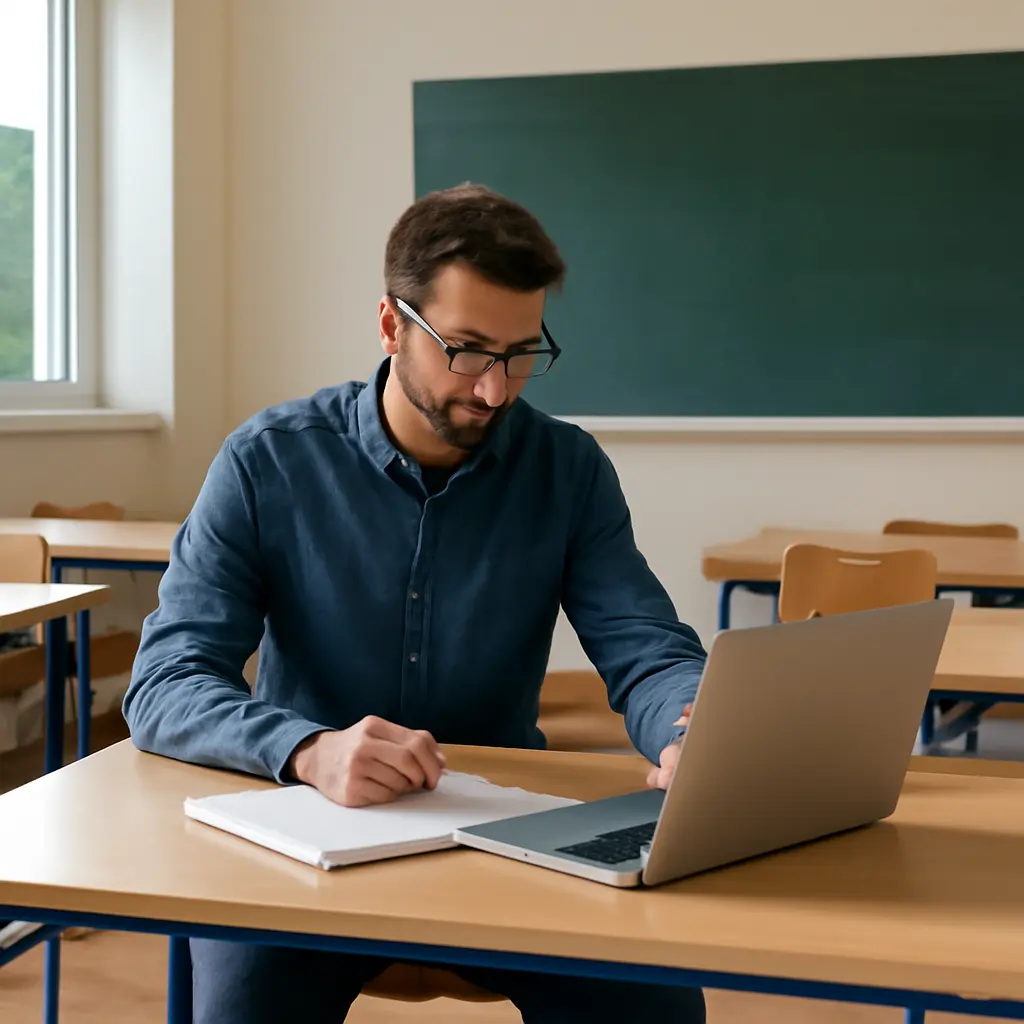
What teachers miss when they design remote classrooms wrong
A remote classroom is the combination of digital tools, teaching practices, and interactions through which students learn when they and their teacher are not in the same physical space. Teachers designing one poorly often focus on uploading lessons while overlooking access, clarity, connection, and feedback. Those omissions matter: in a 2022 Pew Research Center survey, 46% of U.S. parents with school-age children said their child had at least some online instruction during the school year, while the National Center for Education Statistics reported that 87% of public schools had provided some instruction remotely in 2020–21. Research from the U.S. Department of Education and the National Academies also cautions that technology alone does not make instruction effective. The central design lesson is to build for participation and learning—not merely for content delivery.
Remote classroom design and learning access
Remote classroom design means intentionally organizing online learning so students can access materials, understand what to do, interact with others, and demonstrate progress. The National Standards for Quality Online Teaching, developed by the Virtual Learning Leadership Alliance and Quality Matters, describe effective online teaching through areas such as instructional design, communication, assessment, and learner support. A poorly designed classroom can be technically available yet practically inaccessible: a student may have a login but lack reliable internet, a quiet place to work, accessible materials, or a clear route to ask for help.
The overlooked categories are connected. Access enables participation; predictable structure helps students manage participation; interaction supports understanding and belonging; and timely feedback lets students correct misunderstandings. Treating these as one design system is more useful than treating each as an isolated feature.
Access is more than a device and a login
Digital access includes dependable connectivity, an appropriate device, accessible content, and time and space to learn. The Federal Communications Commission’s 2024 National Broadband Map documents continuing gaps in broadband availability, while the National Center for Education Statistics has tracked differences in students’ access to internet and computers at home. Even where a household has internet, one shared phone or an unstable connection can make video-heavy lessons difficult to complete.
Teachers miss this when they make live attendance, high-bandwidth video, or rapid online responses the only route to participation. A more resilient design offers downloadable or low-bandwidth materials, phone-friendly pages, captions and transcripts, and reasonable alternatives for students who cannot join synchronously. The U.S. Department of Education’s National Educational Technology Plan emphasizes closing digital divides not only in access to devices and connectivity, but also in how students use technology to learn.
Accessibility needs to be built in, not added later
Accessibility means designing learning materials and activities so students with disabilities and different learning needs can perceive, navigate, and use them. The World Wide Web Consortium’s Web Content Accessibility Guidelines provide standards for features such as text alternatives, keyboard navigation, captions, and sufficient contrast. In practice, a teacher can use descriptive headings, readable documents, alt text for meaningful images, captions for video, and materials that work with assistive technology.
Universal Design for Learning, developed by CAST, extends this principle by encouraging multiple means of engagement, representation, and action or expression. Students might learn from a short reading or captioned video and show understanding through a written response, an audio explanation, or a project aligned to the same learning goal. This flexibility is not a lowering of standards; it reduces barriers that are unrelated to the skill being assessed.
Remote classroom structure and cognitive load
Remote classroom structure is the way a course organizes its schedule, navigation, instructions, and workload. In a physical classroom, students can often ask a quick question or infer what comes next from the room and routine. Online, those cues may disappear. When every lesson is arranged differently or instructions are scattered across announcements, email, and documents, students must spend attention locating work instead of learning it.
The Institute of Education Sciences’ practice guides recommend making learning goals explicit, presenting content in manageable steps, and using assessments to guide instruction. These principles translate directly to online course design: a consistent weekly pattern, clearly named materials, and a visible path from lesson to practice to assessment reduce avoidable confusion.
Navigation and instructions should answer “what, where, and when”
Course navigation is the system students use to find lessons, submit work, and locate help. Effective navigation uses predictable labels and a stable layout, while effective instructions specify the task, purpose, due date, expected format, and where to get support. A useful weekly module might begin with learning objectives, list materials in order, identify estimated completion time, and end with a submission link and a way to check understanding.
The design mistake is assuming that what is obvious to the teacher is obvious to a student encountering the course independently. A short checklist or model response can prevent repeated clarification messages and missed tasks. For younger students, the same instructions may need to be understandable to caregivers who are helping them navigate the platform.
Workload and screen time need deliberate limits
Online workload includes not only the time spent in live sessions, but also reading, platform navigation, independent assignments, and communication across classes. A schedule copied directly from an in-person day can leave students with long stretches of screen exposure and little time for offline practice. The American Academy of Pediatrics has advised that children’s media use should be considered in context, including the quality of content, developmental needs, sleep, physical activity, and family routines—not reduced to a single screen-time number.
Teachers can set realistic estimates for each task, coordinate deadlines where possible, and distinguish essential work from optional enrichment. Shorter live sessions, breaks, and offline activities can preserve attention and make participation more feasible for students sharing devices or caregiving space. The goal is purposeful screen use, not the largest possible number of online minutes.
Remote classroom interaction and belonging
Remote classroom interaction is the exchange among students, teachers, and learning materials that helps learners test ideas, receive support, and feel part of a community. The Community of Inquiry framework, associated with researchers Randy Garrison, Terry Anderson, and Walter Archer, describes online learning through the interaction of teaching presence, social presence, and cognitive presence. A course can have polished content but still feel isolating if students rarely hear from the teacher or engage with classmates.
Interaction does not require constant video calls. It can include structured discussions, peer review, small-group problem solving, teacher check-ins, and low-stakes ways to ask questions. The key is to design interaction around a learning purpose and make participation possible for students with different schedules, communication styles, and connectivity.
Social presence is a learning condition, not decoration
Social presence is the sense that other people are real, responsive participants in an online learning environment. Teachers can establish it through brief personal welcomes, regular announcements, respectful discussion norms, and feedback that refers to students’ actual ideas. In a 2020 review published in the journal Online Learning, researchers identified social, teaching, and cognitive presence as interrelated dimensions of online learning rather than interchangeable features.
A discussion board with no prompt, response expectations, or teacher follow-up may become a compliance task rather than a conversation. More useful prompts ask students to explain reasoning, compare approaches, or respond to a peer’s question. Teachers should also offer alternatives to public posting when a student has a legitimate privacy, accessibility, or safety concern.
Synchronous and asynchronous learning serve different needs
Synchronous learning occurs in real time, while asynchronous learning allows students to participate at different times. Live sessions can support discussion, demonstrations, and immediate clarification; recorded mini-lessons, readings, and discussion threads allow flexibility and repeated review. The U.S. Department of Education’s evidence review on online learning found that outcomes vary across settings and instructional approaches, and cautioned against attributing differences simply to the delivery medium.
A common design error is treating attendance at a live video meeting as proof of learning—or treating a recording as a complete substitute for interaction. A balanced classroom makes the purpose of each format explicit, provides a way to access essential information after a missed session, and avoids penalizing students for connectivity or circumstances outside their control.
Remote classroom assessment and feedback
Remote classroom assessment is the process of gathering evidence of student learning online and using it to guide next steps. Assessment is not only a final test: it includes quick checks, drafts, questions, reflections, and teacher observations. The National Academies’ report How People Learn II emphasizes that learning builds on prior knowledge and that instruction benefits from understanding what learners know and how they are progressing.
When teachers rely only on completed assignments, they may discover misunderstandings too late. Frequent, low-stakes checks make learning visible sooner and help teachers decide whether to reteach, provide an example, or offer a challenge. A 2021 meta-analysis by John Hattie and colleagues on feedback research also underscored that feedback effects depend on its form and content; feedback that clarifies the task, process, or next step is more useful than vague praise alone.
Feedback should be timely, specific, and actionable
Actionable feedback identifies what is working, what needs attention, and what the learner can do next. In a remote classroom, waiting until the end of a unit to respond can leave students practicing an error repeatedly. Short comments tied to a rubric, audio feedback, annotated examples, or a brief conference can make the next step clear without requiring lengthy written remarks on every task.
Teachers should also explain when and how students can use feedback. If revisions are allowed, say what can be revised and by when; if an assignment is for practice, clarify whether it is graded. This turns feedback from a verdict into part of the learning process.
Assessment should measure learning, not just platform fluency
A sound assessment measures the intended knowledge or skill rather than a student’s ability to navigate a complicated tool. If the goal is to explain a scientific process, the task should not depend on advanced video editing unless video production is itself part of the learning objective. Clear criteria, accessible formats, and more than one way to demonstrate understanding can improve the validity of the evidence teachers collect.
Academic integrity concerns also need thoughtful design. The International Center for Academic Integrity promotes values including honesty, trust, fairness, respect, responsibility, and courage. Rather than relying only on surveillance, teachers can use staged work, personalized prompts, oral explanations, and drafts that reveal the development of thinking. These approaches can support learning while reducing unnecessary monitoring and privacy burdens.
Remote classroom support and teacher workload
Remote classroom support includes the help students and families need to access the platform, understand expectations, and resolve problems. It also includes the systems that keep teacher communication manageable. A course that depends on instant replies at all hours is not sustainable, and inconsistent communication can leave students unsure whether they have been noticed.
The National Center for Education Statistics’ reports on pandemic-era schooling documented substantial changes in how schools delivered instruction and supported students. Those experiences exposed a design truth that remains relevant: technology plans need routines, staffing, and communication practices, not just software accounts.
Families need clear boundaries and support routes
Family support is most effective when schools explain who to contact for technical problems, academic questions, and urgent concerns. A single, easy-to-find help page can list office hours, expected response times, troubleshooting steps, and language-access options. Teachers should avoid making caregivers responsible for delivering instruction that the course itself should provide, especially when students are expected to work independently.
For younger learners, caregiver communication is important, but it should be concise and predictable. Weekly summaries and advance notice of major deadlines are more usable than a stream of separate messages spread across multiple platforms.
Teacher capacity is part of classroom design
Teacher capacity includes the time, training, and institutional support needed to maintain an online course. The Organisation for Economic Co-operation and Development’s TALIS research has repeatedly examined teachers’ professional learning and working conditions, including their preparation for teaching with digital tools. A design that requires duplicating content across platforms, manually tracking every message, or providing around-the-clock support can fail even when its learning activities are strong.
Schools can reduce that burden through shared templates, accessible technology guidance, coordinated deadlines, and professional learning focused on online pedagogy rather than tool demonstrations alone. Teachers can also set communication windows and reuse well-designed resources while adapting them to student needs. Sustainable systems make it more likely that students receive consistent, attentive support.
Conclusion: design remote classrooms around learners
What teachers miss when they design remote classrooms wrong is that learning depends on more than uploaded content or a working video link. Access and accessibility determine who can participate; structure and manageable workload help students find and use learning materials; interaction supports presence and belonging; assessment and actionable feedback reveal progress; and reliable support makes the whole system sustainable.
Teachers and school leaders can begin with a practical audit: test the course on a phone and with low bandwidth, make one week’s instructions consistent and explicit, check materials for accessibility, identify the purpose of every live session, and gather student feedback about barriers. For further guidance, consult the National Standards for Quality Online Teaching, CAST’s Universal Design for Learning framework, and the U.S. Department of Education’s National Educational Technology Plan. Remote learning works best when the classroom is designed around the realities of learners’ lives—not around the assumptions of the platform.
Sources: National Center for Education Statistics, “Remote Instruction and the Coronavirus—Highlights from the Household Pulse Survey,” https://nces.ed.gov/learn/; Pew Research Center, “How Parents’ Views of Their Kids’ Education Changed in the Pandemic,” https://www.pewresearch.org/; Virtual Learning Leadership Alliance and Quality Matters, National Standards for Quality Online Teaching, https://www.nsqol.org/; U.S. Department of Education, A National Educational Technology Plan: A Call to Action for Closing the Digital Access, Design, and Use Divides, https://tech.ed.gov/netp/; Federal Communications Commission, National Broadband Map, https://broadbandmap.fcc.gov/; World Wide Web Consortium, Web Content Accessibility Guidelines (WCAG) 2.2, https://www.w3.org/TR/WCAG22/; CAST, Universal Design for Learning Guidelines, https://udlguidelines.cast.org/; Institute of Education Sciences, What Works Clearinghouse Practice Guides, https://ies.ed.gov/ncee/wwc/PracticeGuides; American Academy of Pediatrics, “Media and Children,” https://www.aap.org/en/patient-care/media-and-children/; Garrison, D. Randy, Terry Anderson, and Walter Archer, “The First Decade of the Community of Inquiry Framework,” Online Learning, 2020, https://olj.onlinelearningconsortium.org/; U.S. Department of Education, Evaluation of Evidence-Based Practices in Online Learning: A Meta-Analysis and Review of Online Learning Studies, https://www.ed.gov/; National Academies of Sciences, Engineering, and Medicine, How People Learn II: Learners, Contexts, and Cultures, 2018, https://nap.nationalacademies.org/catalog/24783/how-people-learn-ii-learners-contexts-and-cultures; Hattie, John, and colleagues, “The Power of Feedback Revisited: A Meta-Analysis of Educational Feedback Research,” Frontiers in Psychology, 2021, https://www.frontiersin.org/; International Center for Academic Integrity, The Fundamental Values of Academic Integrity, https://academicintegrity.org/; Organisation for Economic Co-operation and Development, TALIS: The OECD Teaching and Learning International Survey, https://www.oecd.org/education/talis/.